
Here are the highlights from this weekend’s release.
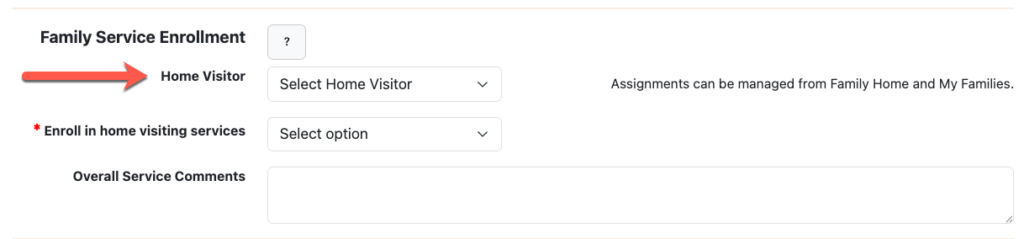
Assigning home visitors to a family
Home visitors are no longer assigned on the child’s data page. Home visitors will be assigned at the family level.
NEW FAMILIES
- The primary home visitor can be assigned when creating a New Family.
- New families created by a home visitor will automatically be assigned to that home visitor.
- Admins can choose to assign or leave the Home Visitor field unselected.
- NOTE – If the family is enrolled into a service requiring a child and not assigned a home visitor, then the home visitor assignment will be required when adding the first child to the family
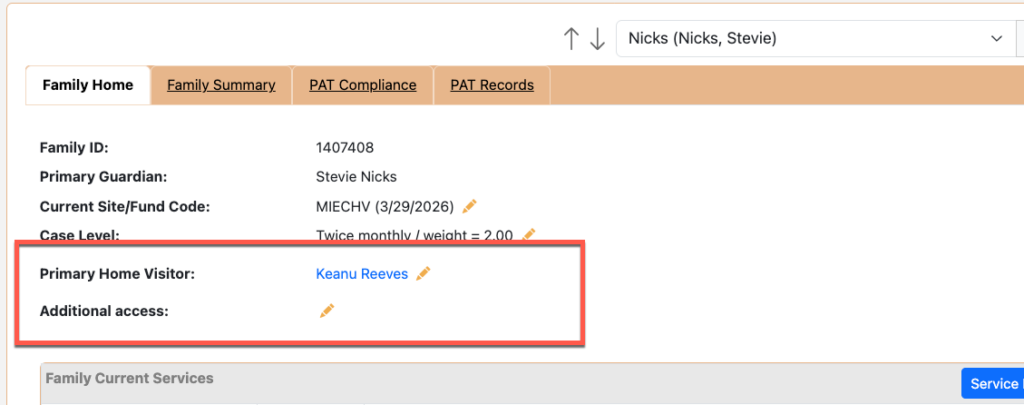
FAMILY HOME
Primary and additional access assignments can now be easily managed for a family on the Family Home page.
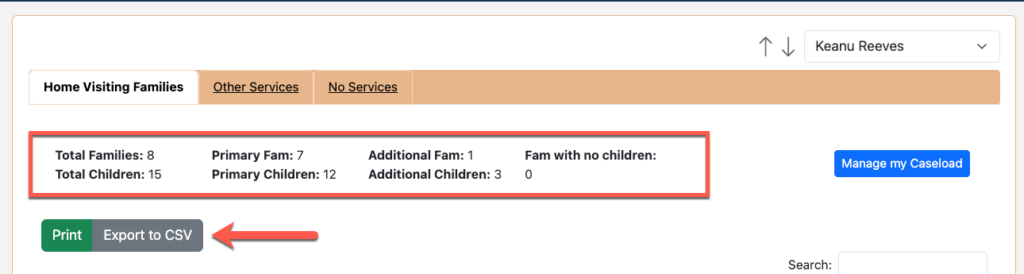
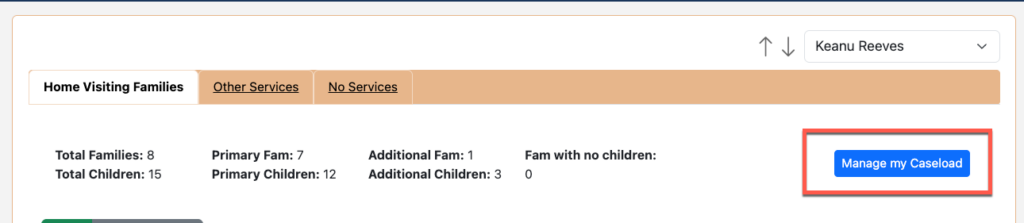
Home visitor’s “My Families” page
The “My Families” page now has 3 main sections.
- Home Visiting Families – Only families enrolled in home visiting services will be listed. They may also be enrolled in another service but have to be enrolled in home visiting
- Other Services – Will list families that are enrolled in other services. Families that are only enrolled in home visiting will not be listed on this page
- No Services – Families that are “Exited” from all services will be listed here.

Each section will provide an overall summary of assignments at the top and the ability to print or export the table.
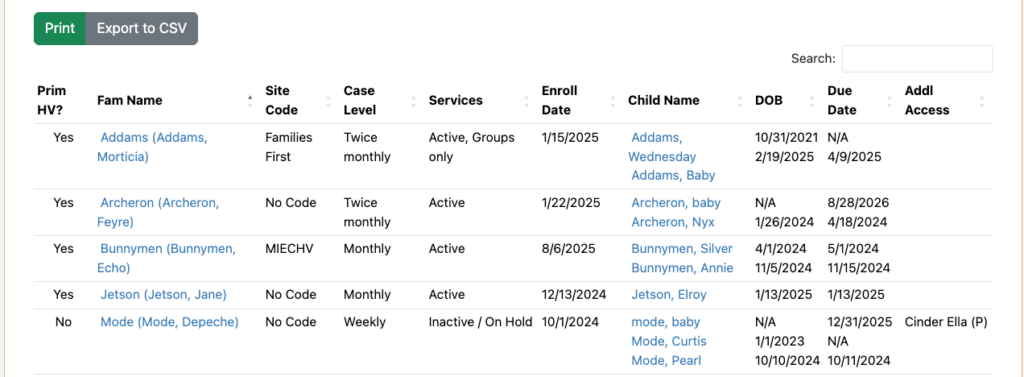
The table listing the families indicates if the home visitor is the primary “Prim HV?”, contains family and child data, and if any other home visitors have additional access.
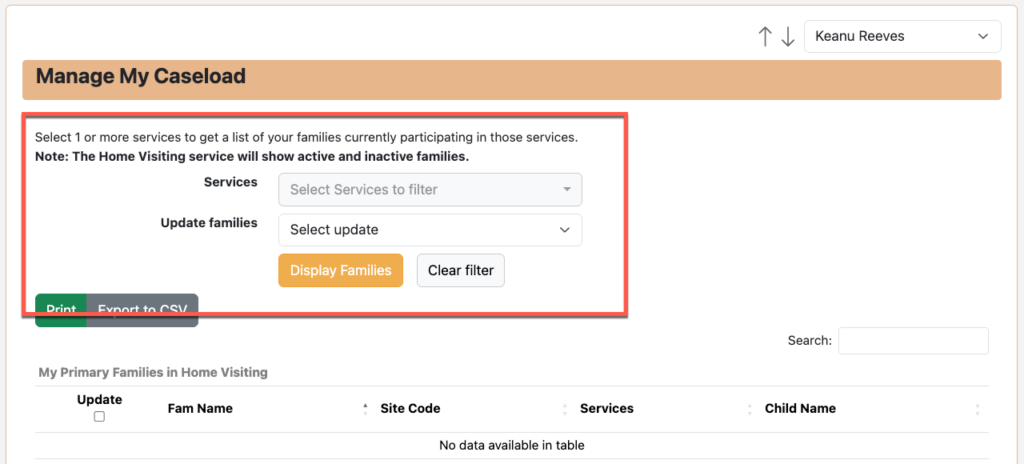
Click on “Manage My Caseload” to reassign or grant additional access to families.
Get a list of the families by service and choose whether you want to update the families by reassigning or granting additional access.
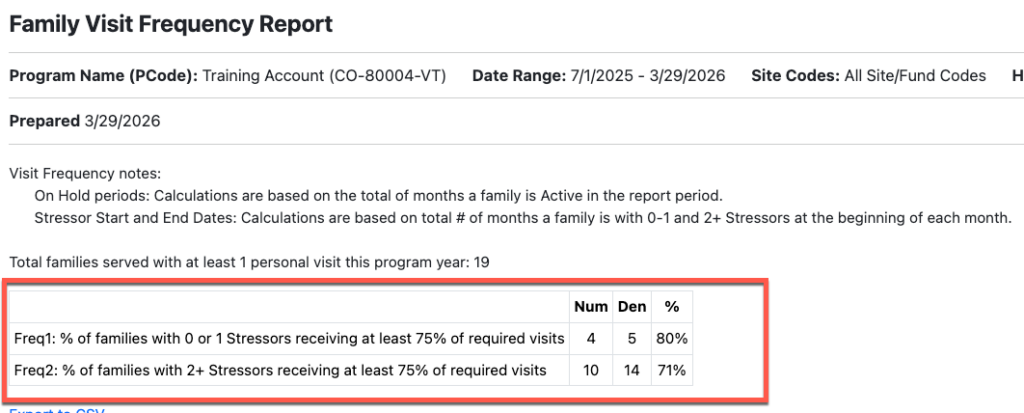
Visit Frequency Report (PAT Affiliates)
The Visit Frequency report now includes the Frequency 1 and 2 outcomes at the top.
Gender Selections
The Gender field has been updated to reflect the federal and national model selections.
- Male / Female / Prefer not to report
Any individual with Non-binary or Unknown selected will now have “Prefer not to report” as their selection.
PVR Behavior Question – “Did not ask”
The behavior question on the PVR record now offers “Did not ask”.

Born To Learn curriculum
For PAT Affiliates, Born To Learn curriculum is now available to select in the Curriculum drop-down along with the personal visit plan list.